Notes on writing an R package
Although SHAPforxgboost is a small package, it still took me some time to get it through the CRAN checks. It has been available on CRAN since 2019-08-03. Install it with either:
install.packages("SHAPforxgboost")or
devtools::install_github("liuyanguu/SHAPforxgboost")
Use the usethis package, https://usethis.r-lib.org/, to set up the package structure.
Some of my own experience
On description
Use single quotes around package names in both the Title and Description fields. For example: “This package uses the SHAP values output from ‘xgboost’”.
-
It is unnecessary to add any Depends in the DESCRIPTION besides
R (>= 3.3.0). -
The Imports field in DESCRIPTION does not automatically control what gets imported into NAMESPACE, even though both use the word import. The NAMESPACE is defined by
@importtags in the R code. What you import into NAMESPACE is what matters at runtime, but the DESCRIPTION record should stay aligned because CRAN checks it.
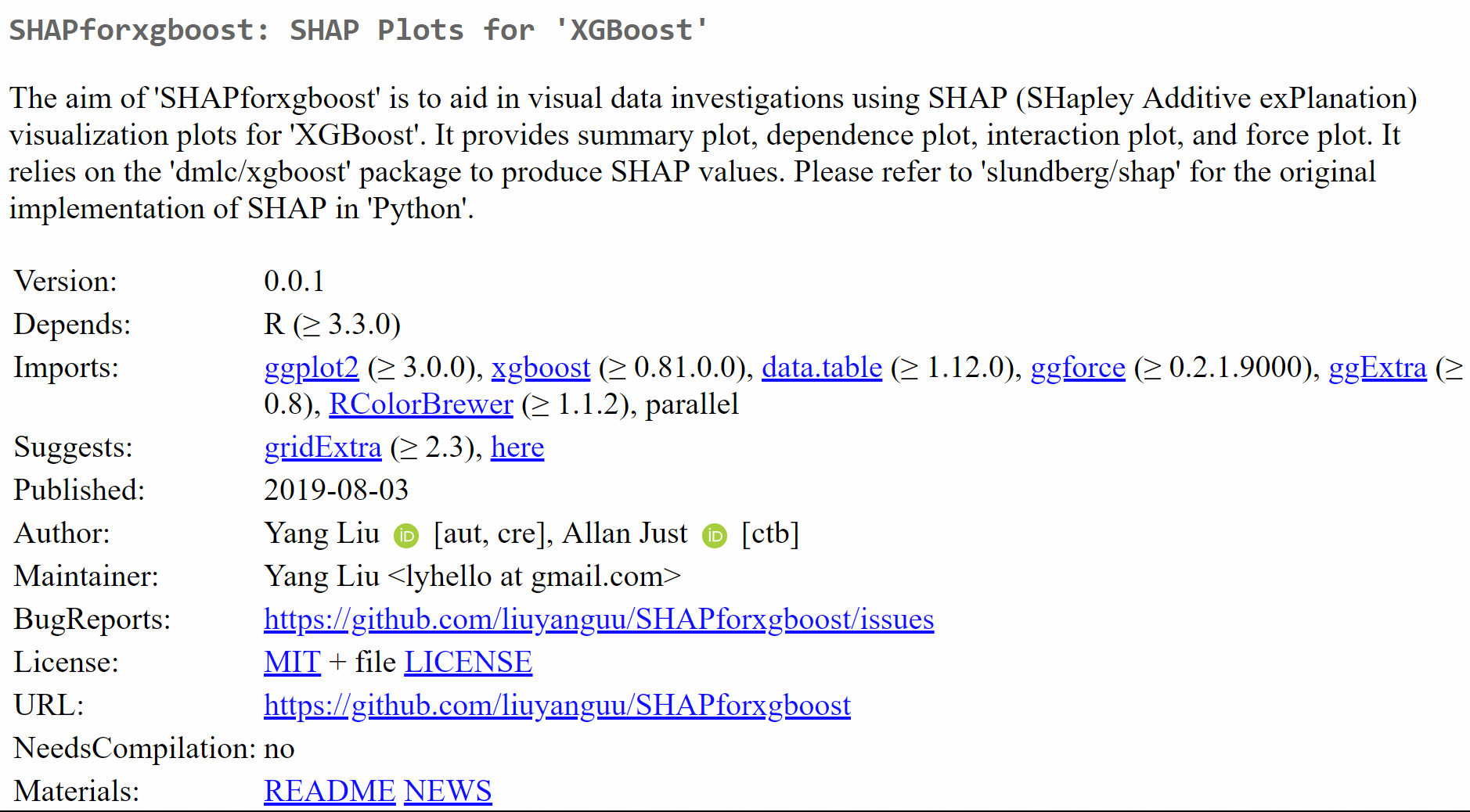
How the DESCRIPTION looks on CRAN:
Namespace
load vs attach
-
If you have
@import ggplot2anywhere in the R code, theggplot2package will be loaded but not attached, and your package functions can useggplot2. Your package knows to search in the namespace ofggplot2, but users cannot call functions fromggplot2without typinglibrary(ggplot2). This is the difference between attach and load, as discussed in Hadley’s R Packages book: loading a package does not put its functions on the search path, but attaching it does.-
I.e., when others load and attach your package, they can use your functions depending on
ggplot2but they cannot use the functions from theggplot2package unless they load and attachggplot2bylibrary(ggplot2). -
If you put
ggplot2in Depends in the DESCRIPTION,library(yourPackage)would load and attachggplot2— same as doinglibrary(ggplot2)— generally speaking you don’t need to do so.
-
-
If you name a function like
plot.shap.summaryit would be documented automatically as a S3 method of theplotgeneric function. So I changed the name toshap.plot.summary. I think in the future I shall not use dot in function names.
Documentation
-
@example R/example/sample1.Rwill attach sample1.R in the folder “R/example/” to the documentation of the function. If you write out the samples directly in the function code, you use @examples instead of @example. -
All the function parameters should be documented using
@param.
Potential problems when checking the package
-
You cannot have things like a line break
“”in the documentation. It will give a warning of “unknown macro”, and will actually cause error when you try to download and build the package from github. -
When checking the package, there will be notes saying that “no visible binding for global variable”. To remove such notes, adding anywhere in the script:
if(getRversion() >= "2.15.1")  {
  utils::globalVariables(c(".", "rfvalue", "value", "values complained")) # all the variables complained
}- All the code scripts go into the R/ folder. I think it seems OK to leave undocumented functions in a separate script as long as they are internally called.
Helpful suggestions from the CRAN team when submitting the package
-
In the description, write package names, software names, and API names in single quotes (e.g. ‘Python’). The Title field should be in title case. The description should not start with the package name or “This package”.
-
Please ensure that you do not use more than 2 cores in your examples. Is there any reason why the number of core to use is not an argument of e.g.
xgboost.fit()? -
Please replace
cat()bymessage()orwarning()in your functions (except forprint()andsummary()functions). Messages and warnings can be suppressed if needed.